How to Manage Your Subscription
As a client, you have the ability to conveniently manage your subscriptions from your account. This guide will walk you through the steps to effectively manage your subscriptions, whether you want to view, modify, or cancel them. Read on to learn how to take control of your subscriptions
Step 1: Log in to your application and navigate to the profile section. Look for the "Manage Subscription" option and click on it to be redirected to the "Manage Subscription" page.
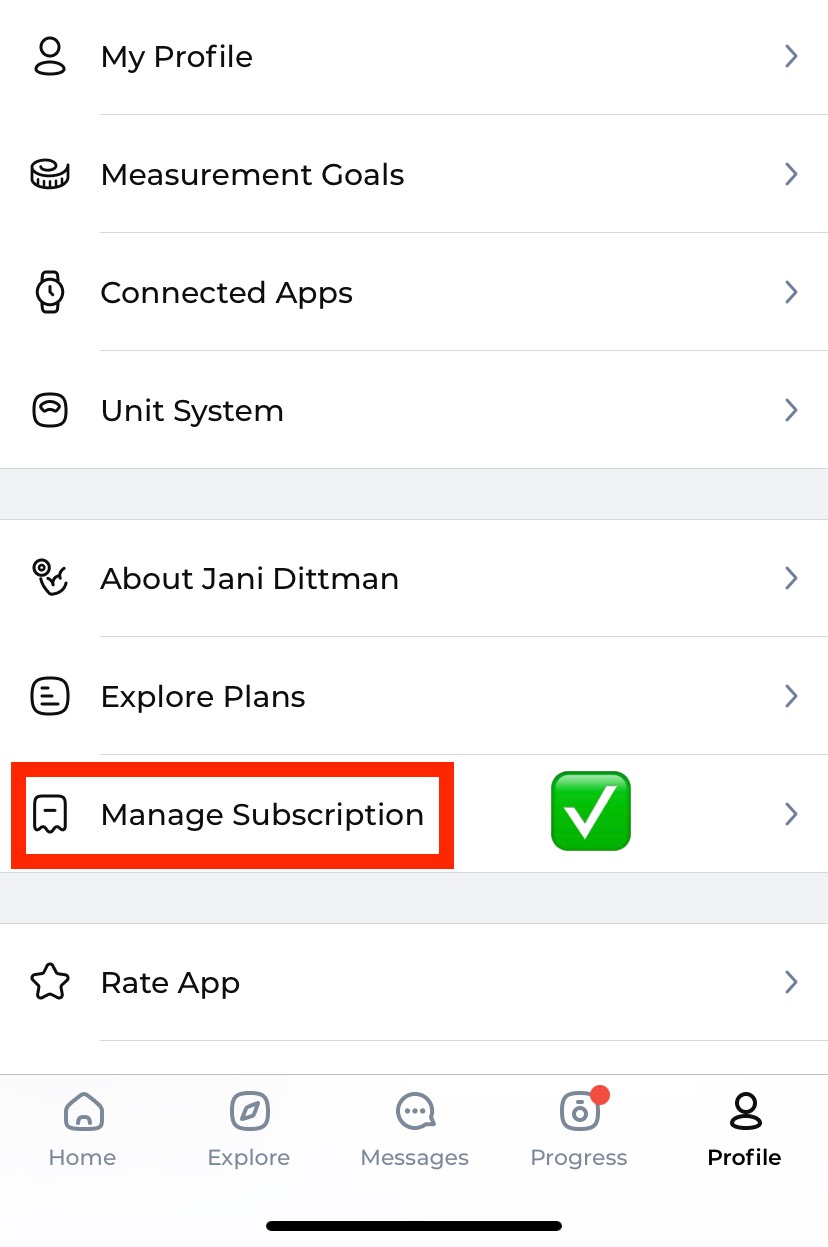
You can also manage subscriptions from your application.
Step 1: Visit your trainer's website and click on the three horizontal lines located in the top right corner of the website.

Step 2: Navigate to the "Manage Subscription" tab in the provided list.
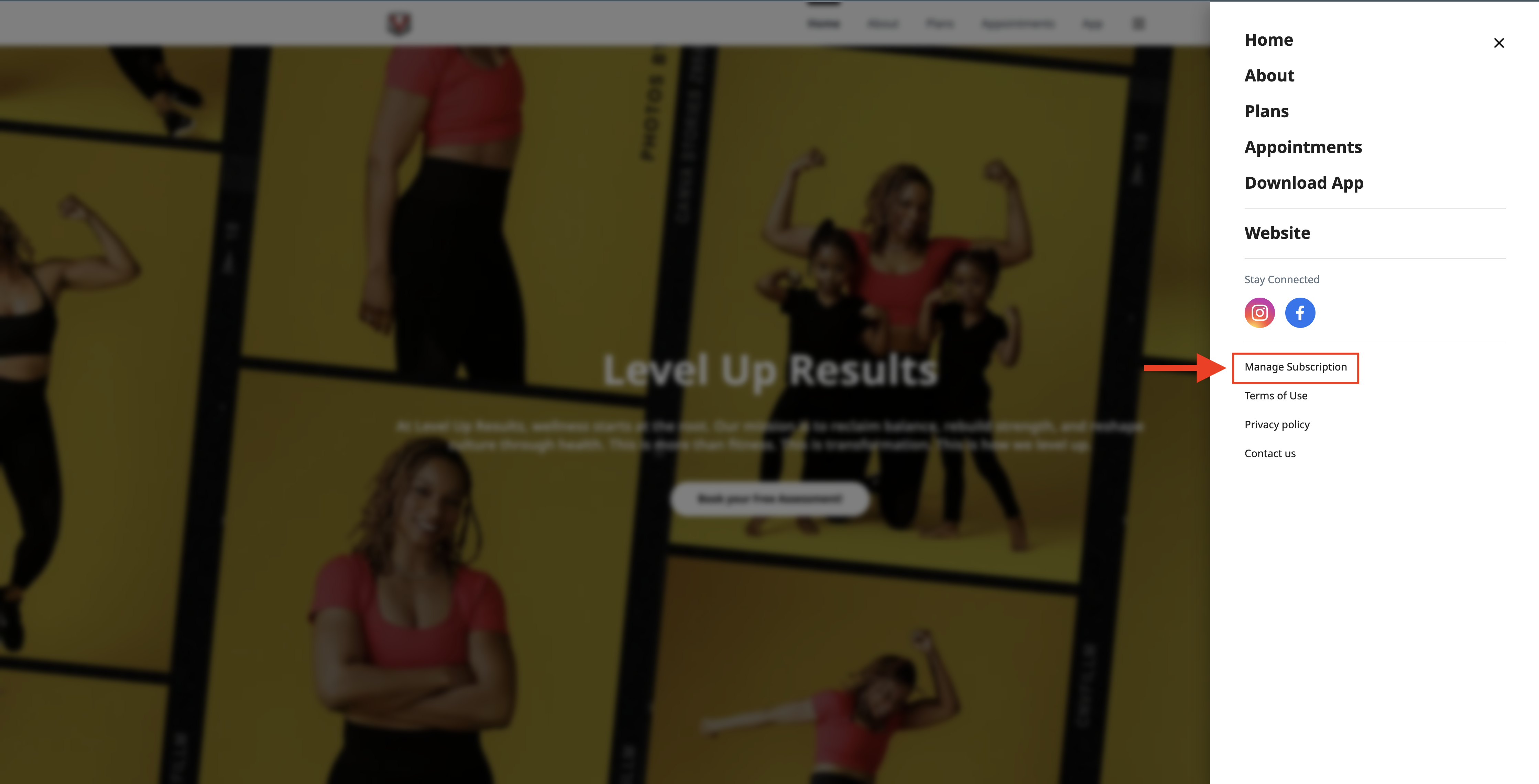
Step 3: Enter your login credentials to access the "Manage Subscription" page.

Step 4: On this page, you can manage your card details, cancel your subscription, view your paid invoices, and make payments for any failed invoices.